Language Learning Made Easy: From PDF to Word in a Snap
An uncooperative PDF can be a massive obstacle to language learning. It’s like hitting a wall that wastes time and tires you out.
Imagine being able to convert those stubborn PDFs into dynamic Word documents with ease. Besides time saving, it also gets your composure back.
This article will show you how to do just that, turn a source of stress into a streamlined process. Are you ready to swap frustration for productivity? Let’s get started and find out the secret to PDF-to-Word magic.

PDF File in Education: The Rigidity
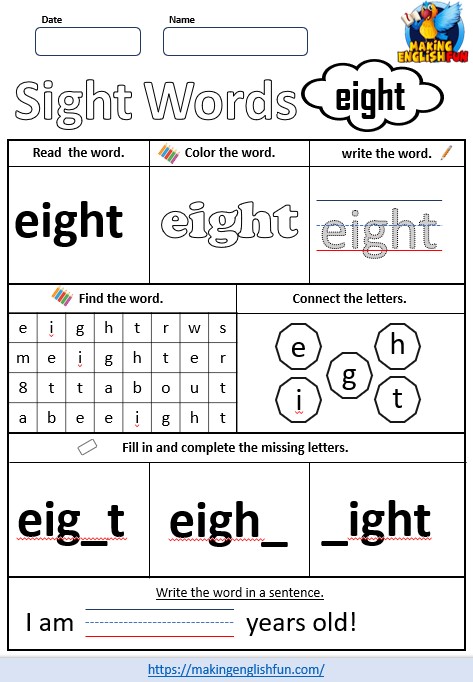
Though ubiquitous in education, PDFs are a roadblock for teachers. Imagine creating a lesson plan only to find you can’t adjust that PDF to fit your student’s needs. Static PDFs lock content in place, making it hard to modify.
This rigidity goes against the principle of interactive learning. Language acquisition, for example, thrives on engagement and adaptability—two things PDFs lack. PDFs fail when trying to add dynamic elements like fillable forms or multimedia links.
Teachers need adaptable educational resources like Word documents for more flexibility. Imagine attending a workshop and getting great handouts, but only in PDF. You want to customise those materials for your classroom, but editing PDFs is a pain and time-consuming.
Even the conversion process itself can be tricky. Some tools may struggle to preserve the original layout, and you’ll spend more time reformatting. That’s why being able to convert PDF to Word without losing formatting is key.
It maintains the visual integrity of educational resources so that the converted documents look as good as the originals. Smallpdf, for example, are providers of PDF tools that can help you do this. It’s important to get to know the tools you’re using, so that you’re more prepared.
Preparing Your Educational Resources for Conversion
Converting educational materials from PDFs to Word can save you a lot of time. Teachers love having editable worksheets and lesson plans.
Start with a clean and organised PDF. Make sure the PDF has clear sections and headings, and avoid complex layouts or too many graphics.
- Example: A PDF textbook chapter with headings and subheadings is better than a scanned worksheet with handwritten notes and diagrams overlapping the text.
Prioritise areas that need to be updated or customised regularly. Focus on converting sections you modify or adapt for different students or classes.
- Examples:
- Fill-in-the-blank worksheets.
- Adaptable activities or assessment sections.
Consider the level of worksheets and lesson plans. These resources are often reused and modified for different learning needs.
- Examples:
- Maths worksheets of varying difficulty.
- Lesson plans need to be modified based on student progress or new curriculum guidelines.
Converting Educational PDFs for Classroom Use
Converting educational PDF documents to Word can be problematic, especially when dealing with complex layouts. Online tools are convenient, but choosing one that converts accurately is key to avoiding reformatting time.
One way to convert simple text-based PDFs is to upload them to a cloud storage platform and open them as documents within that platform’s suite of tools. This works for plain text documents but may struggle with PDFs that have images or tables.
For complex educational content, specialized conversion software has advanced features to handle detailed document layouts without losing fidelity during conversion. These tools often support batch conversion of multiple PDFs at once – a teacher’s best friend.
After converting your PDFs, make sure the new Word document works across different platforms and tools. This means checking that interactive elements like hyperlinks and embedded media work within the converted file format.
Customising Converted Resources for Every Learner
Adapting educational materials to different learning styles makes learning richer.
- Visual learners love diagrams and charts. Colour coding, mind maps, and graphic organisers help these learners see the connections between ideas and create a mental picture of the information.
- Auditory learners prefer to hear explanations. They often like to read aloud or explain concepts to others, which helps them process and retain information.
- Kinesthetic learners learn best through hands-on activities. They love to manipulate objects, experiment and move.
After converting a PDF with complex layouts into an editable Word document, you can customise it for different learning styles:
- Visual Learners:
- Add images and infographics to illustrate key points
- Make the content more engaging and easier to read
- Auditory Learners:
- Embed audio files or link to relevant podcasts
- Turn static text into an interactive lesson
- Kinesthetic Learners:
- Add links to online exercises or interactive quizzes
- Encourage active participation
Real-Life Uses of Converted Resources
Converting PDFs to Word gives educators and professionals many options. By converting a PDF to an editable Word document, you have the power to tweak and customise the content to fit your teaching style or the needs of your classroom.
Think of language teaching associations, for example. They work with different groups of students who need customized materials. Converting PDFs allows you to create interactive exercises that engage students much more than a static PDF can.
Sharing editable documents makes collaboration smoother in parent-teacher groups. Instead of sending around PDFs, teachers and parents can edit in real-time in Word, and everyone will be on the same page.
Online language learning communities also benefit from these conversions. With editable Word files, members can adapt resources to different languages or levels without having to start from scratch, making it a more inclusive and supportive learning space.
If done correctly, complex layouts can often be preserved during the conversion process. Preserving the original layout means the content looks the same but is infinitely more functional and adaptable.
For those who spend hours managing complex documents daily – whether business professionals, parents, or educators – the ability to edit unlocked by conversion tools is priceless. The time-consuming task of manual adjustments becomes a doddle when you have flexible formatting options.
Final Thoughts
Next time you come across a static PDF, remember converting it to a Word document is more than just convenient. It’s customization, collaboration, and a more dynamic learning environment.
With the right tools and techniques, you can turn those rigid files into adaptable resources for educators and learners.
Making English Fun!

I have been a teacher of English for over 15 years, in that time i made hundreds and thousands of resources and learnt so much i think its worth sharing. Hopefully to help teachers and parents around the world.